What To Check Before Saving Restaurant And Market Notes For A City Break
A practical step-by-step guide to what to check before saving restaurant and market notes for a city break, including preparation, instructions, common issues, tips, and next steps.

What To Check Before Saving Restaurant And Market Notes For A City Break
Before you leave for a city break, spend a few minutes organizing the restaurant and market notes you have collected. This guide walks you through reviewing your saved lists, confirming opening hours and seasonal availability, grouping places by neighborhood so you can plan efficient routes, and making sure you have backups. You will also learn how to spot outdated or questionable advice, prepare offline access, and keep your plans flexible. The tips and checklists help you turn a pile of notes into a smooth, enjoyable food adventure without wasting time or feeling lost.
Fast Answer
- Check that every saved restaurant and market entry has a correct name, address, and neighborhood, and that opening hours and seasonal closing dates are noted so you don't walk into a shut door.
- Group your notes by neighborhood and day of your trip, then create a backup by exporting or screenshotting them so you can still access the information if you lose your phone or the app fails.
Before You Start
- Skim every saved note for obvious mistakes: misspelled place names, wrong street numbers, or vague descriptions like 'near the square' that might send you in the wrong direction.
- Visit the official website or social media page for each restaurant or market to check current opening hours and any seasonal closures, because many places change schedules on holidays or during slow months.
- Decide which notes are outdated or no longer useful—for example, a tip about a farmers market that only happens on Sundays when you are arriving on a Tuesday—and delete or update them before you pack.
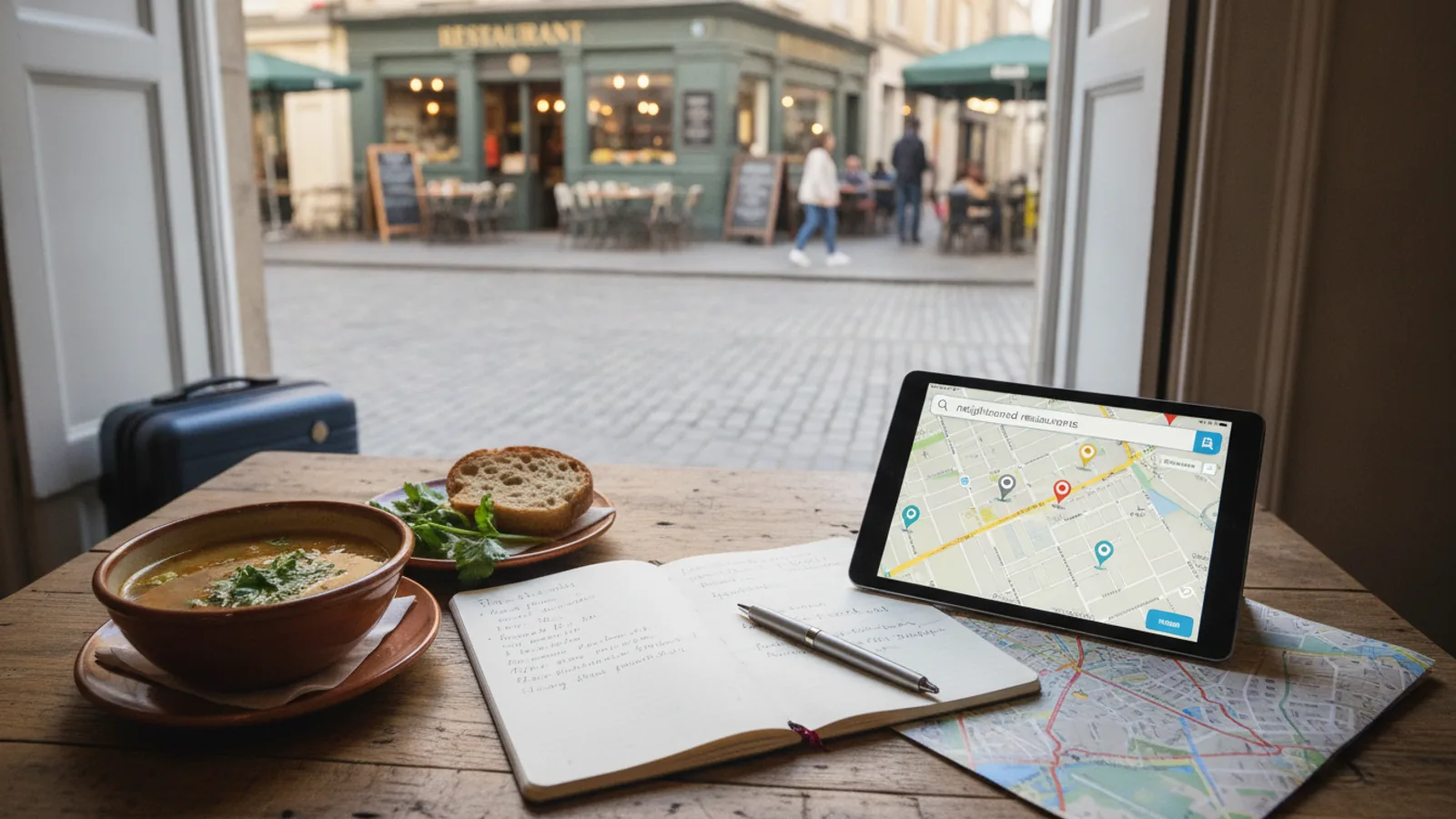
- Print or download a simple map showing the locations of all your saved places, or create a custom map in your phone's map app, so you can see distances and plan walking or transit routes.
Step-by-Step Instructions
Sort and Tidy Every Saved Note
Open your notes app, spreadsheet, or digital list and review every entry for restaurants, cafes, bakeries, and food markets. For each one, confirm that you have the official name, a full street address, and the neighborhood it sits in. If you see abbreviations like 'rstrnt' or vague hints like 'near the big church', replace them with the full name and address so you are not guessing later. Remove any duplicate entries that you may have added twice during research. Also, delete places that are far from where you will actually stay, unless you are willing to travel a long way just for a meal. This tidy list becomes your working document for the city break, so it should be easy to scan while you are walking, standing in line, or checking your phone quickly.
Verify Opening Hours and Seasonal Closures
Do not rely on what you saved; open the official website or social media page for each restaurant, cafe, and market. Look for a 'Opening Hours' section and write down the days and times they are open, plus any stated holiday closures or seasonal breaks. Markets often operate only a few days a week, for example Tuesday and Saturday mornings, and they may close entirely in winter. Restaurants may close on Mondays or between lunch and dinner. If you cannot find official hours, call the number listed on the site or leave a message asking when they are open. Note the date you checked, because hours change often. This step might feel tedious, but it prevents you from arriving to a locked door or an empty hall.
Group Places by Neighborhood and Day
Take your verified list, open your city map, and assign each place to a neighborhood or district. Write down the day of the week you plan to visit each area, then arrange the notes so that all places in the same neighborhood appear together. If you have several markets that only open on, say, Saturday, plan your Saturday route around them. For restaurants, think about lunch and dinner separately, and pair them with nearby sights so you do not cross town for every meal. This grouping makes it easy to see if you have too many places in one area and too little in another, and it helps you create a realistic daily plan that minimizes backtracking and wasted time.
Create a Backup of Your Notes
Your phone could be lost, stolen, or run out of battery, so store your notes in at least two different places. Use a cloud-based note service that syncs automatically, but also export a plain text file or screenshot the essential pages. If you use a mapping app, save your places to a custom list or star them, because that list lives online and can be opened on another device. Print a small paper version with names, addresses, and hours, and keep it in your wallet or day bag. This is not about being paranoid; it is about having a reliable fallback when technology fails. When you are overseas, you may not have mobile data, so offline access is critical.
Identify Outdated or Questionable Advice
Review each note for clues that it might be too old or inaccurate. A note that mentions a chef who left years ago, a restaurant that has since changed its concept, or a market that has moved to a different square should be double-checked. Look at the date you saved the note, and if it is more than a few months old, verify by reading multiple recent reviews or the official announcement on their website. Also, be wary of notes that list unusually low prices, because prices change, or that promise a 'hidden gem' that no longer exists. If an entry fails the check, either update it with current facts or delete it. A clean list with only verified places will save you from disappointment and help you make the most of your limited time.
Build a Flexible Daily Food Itinerary
Using your grouped and verified notes, create a simple plan for each day of your city break. Start with a morning market visit because markets are often busiest early, then plan a leisurely lunch nearby. For the afternoon, pick one or two snacks or dessert stops, and reserve dinner for an evening when you are in the same area. Keep your itinerary flexible by listing a backup restaurant or market for each neighborhood in case your first choice is closed or too crowded. This step turns you from a tourist with a messy list into a traveler with a clear plan. It also allows for spontaneous discoveries, because you will know exactly what is around you.
Quick Reference
| Situation | Action | Why it helps |
|---|---|---|
| You arrive at a market and find it closed, even though your note says it should be open. | Check your backup notes for the market's official website or phone number, and call to ask about unexpected closures, then move to your backup location from your flexible itinerary. | Markets sometimes close for private events, weather, or local holidays, and calling ahead gives you real-time information so you don't waste time waiting. |
| You lose your phone just before dinner, and all your restaurant notes were only stored on it. | Use the printed backup notes you placed in your wallet, and ask your hotel concierge for a recommendation if the listed place is not open. | A physical backup ensures you still have key addresses and phone numbers, and the concierge can offer local knowledge for an alternative. |
| A restaurant note says a dish is a must-try, but you see recent reviews saying the recipe has changed. | Ask the server what they recommend today, and mention the dish you read about to see if it is still on the menu and prepared the same way. | Menus and recipes evolve, so getting a current recommendation from staff helps you avoid disappointment and discover something new. |
Common Issues
- You saved a note about a great street food stall, but it is no longer there when you visit.: Before you go, search the stall's name or description online to see recent posts about its location or if it has moved to a permanent shop or a different street.
- You have too many notes and feel overwhelmed while walking.: Narrow your list to just three places per neighborhood before your trip, and mark the one you most want to try with a star.
- The market you saved is only open in the morning, but you planned to go in the afternoon.: Rearrange your schedule: visit the market in the morning, then have a late lunch or picnic with what you bought.
Advanced Tips
- Set up an offline map of the city with your saved places pinned, and download the map before you leave so you can navigate without mobile data.
- Talk to a local resident or shop owner near the market to ask for tips about which stalls are best, because locals often know seasonal specials or hidden treats.
- If you travel frequently, create a habit of 'note hygiene'—delete or update old notes at the end of each trip so your saving system stays clean for the next adventure.
Final Checklist
- Every place in your notes has a full name, full address, and confirmed opening hours with a date checked.
- You have grouped all notes by neighborhood and roughly mapped them, so you can plan efficient routes.
- You have backed up your notes in at least two ways, and the backup is accessible offline.
- Your daily plan covers what to visit, where to eat, and a backup choice for each stop.
FAQ
What if my notes are just a list of names without addresses?
Open the official website or social media for each name and write down the street address and neighborhood. If you cannot find it online, call the number listed or ask your hotel to help you locate the place, because you cannot rely on a vague name once you are out on the street.
Should I check opening hours again while I am on the trip?
Yes, especially a day before you plan to visit a place. Re-open the official website or call ahead, because temporary closures, changed hours, or private events can happen. The front desk of your hotel can also confirm, and they often know about last-minute changes in the neighborhood.
How do I handle a restaurant that has moved to a new location?
Update your note with the new address and verify the opening hours at the new spot. Check the restaurant's website or social media for the announcement, and consider changing your walking route if the place is now farther away, or replace it with another spot nearby.